
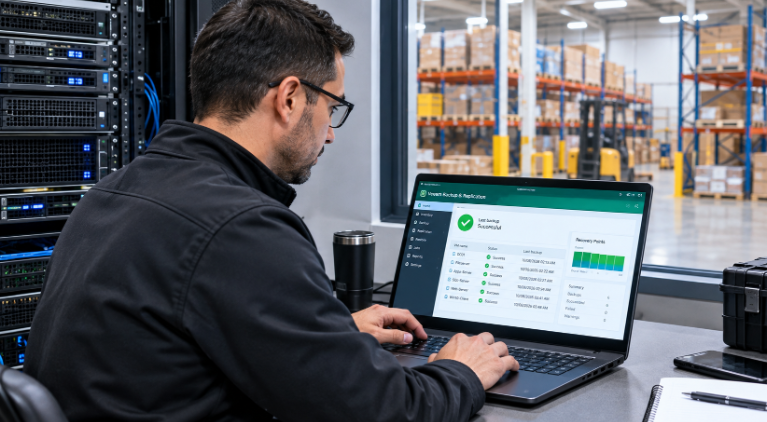
A failed server, a ransomware attack, or a flooded server room can stop your business in minutes. The real damage is not the event itself but how long it takes to recover. Disaster recovery services in Mississauga, ON are built to shrink that recovery window from days to hours.
LOGIX Data Products Inc. is a managed IT services provider in Mississauga, Ontario, protecting business data across Toronto and the surrounding areas since 1983. This guide breaks down what downtime really costs and how a recovery plan protects you.
Quick Answers
- Disaster recovery is the plan and technology that restore your systems and data after an outage.
- Downtime costs include lost sales, idle staff, missed deadlines, and damaged customer trust.
- Offsite, immutable backups protect your data even if ransomware reaches your network.
- LOGIX uses Veeam and Canadian cloud storage to back up and recover business systems.
What Can Take a Business Offline?
Hardware failure, cyberattacks, human error, and physical damage are the most common causes of downtime. Most businesses face at least one of these every few years.
The risks look different in every office, but the usual triggers include:
- A server or storage drive that fails after years of heavy use
- Ransomware that encrypts files and backups on the same network
- An employee who deletes a critical folder by mistake
- Power outages, water leaks, or fire in the server room
The question is not whether one of these will happen. It is whether you can recover before it hurts your customers.
How Do You Build a Recovery Strategy That Works?
A recovery strategy works when your backups are offsite, protected from tampering, and regularly tested. It also needs a clear order for restoring systems.
The NIST Cybersecurity Framework 2.0 organizes security into six core functions, including Recover, alongside Govern, Identify, Protect, Detect, and Respond. Recovery planning belongs in that structure from the start, not after an incident.
The LOGIX disaster recovery approach includes:
- Veeam Backup and Replication. Automated backups of servers, virtual machines, and files.
- Offsite replication. LOGIX acts as a Veeam Cloud Connect provider with storage in its data centre.
- Immutable backups. Copies that cannot be changed or deleted by ransomware.
- Canadian cloud storage. Your backup data stays in Canada.
- Microsoft 365 backups. Email and files protected beyond Microsoft’s default retention.
- Disaster recovery and business continuity planning. A written plan for what comes back first.
Backup transfers use encrypted connections, and storage facilities have redundant infrastructure and 24/7 monitoring.
What Does Downtime Actually Cost?
Downtime costs you revenue, productivity, and sometimes clients who do not come back. The longer systems stay down, the faster those costs climb.
When downtime comes from a security breach, the numbers jump. IBM’s 2024 Cost of a Data Breach Report put the global average breach cost at USD 4.88 million. Small businesses face smaller totals, but they also have less room to absorb them.
Consider a distribution warehouse with 40 staff and one server running order processing. When ransomware encrypts that server, a business without offsite backups can lose a week of shipments. With immutable Veeam backups in place, the same company restores order processing from a clean copy in under a day.
Unsure how long your own recovery would take? A short review can give you a realistic answer.
How Long Could Your Business Survive Without Its Systems?
Most small businesses can survive only a short outage before customers and cash flow suffer. Knowing your limit helps you decide how fast recovery must be.
Ask yourself these questions:
- How many hours can you go without email or order processing?
- Which systems must come back first?
- When did you last test a full restore?
- Is at least one backup copy stored offsite and protected from changes?
If you cannot answer all four, your recovery plan has gaps worth closing.
What Steps Should You Take to Prepare?
Start by finding out where your critical data lives and how it is backed up. Then close the biggest gaps first.
- List the systems your business cannot run without.
- Confirm each one has an offsite, immutable backup.
- Run a test restore and record how long it takes.
- Write a simple recovery checklist and share it with key staff.
- Review the plan with an IT provider at least once a year.
LOGIX serves businesses in Mississauga, Toronto, and the surrounding areas, and emergency response is guaranteed in one hour or less.
Is Cloud Storage Enough Without a Recovery Plan?
No. Cloud storage keeps files available, but deleted or encrypted files can sync everywhere within minutes. Microsoft 365 retention also has limits.
A recovery plan adds separate, protected copies and a tested restore process. It covers servers and applications that file storage alone does not.
Know Exactly How Fast You Can Recover
Book a Disaster Recovery Review
We will review your servers, backups, and Microsoft 365 data, then show you how long a full recovery would take today. You will get a clear plan to close the gaps, explained in plain English. Every service is backed by our 100% satisfaction guarantee.
Call 416-742-7000 or learn more about LOGIX.
Contact LOGIX Data Products Inc.
Frequently Asked Questions About Disaster Recovery Services in Mississauga
What are disaster recovery services?
Disaster recovery services are the backups, tools, and planning that restore your systems and data after an outage, attack, or disaster. They help a business get back to work quickly while losing as little data as possible.
How do disaster recovery services in Mississauga, ON work?
Disaster recovery services in Mississauga, ON start with a review of your systems and current backups. LOGIX then deploys Veeam backups, offsite replication, and a written recovery plan.
What is an immutable backup?
An immutable backup is a copy of your data that cannot be changed or deleted for a set period. This protects it from ransomware and accidental deletion.
Where is my backup data stored?
LOGIX offers Canadian cloud storage, and backups are sent over encrypted connections to facilities with redundant infrastructure and 24/7 monitoring.
How often should I test my disaster recovery plan?
Test your plan at least twice a year and after major system changes. A basic test covers three steps:
- Restore a critical file or server.
- Confirm it works correctly.
- Record how long it took.